The alarm that won’t stop until you’re up.
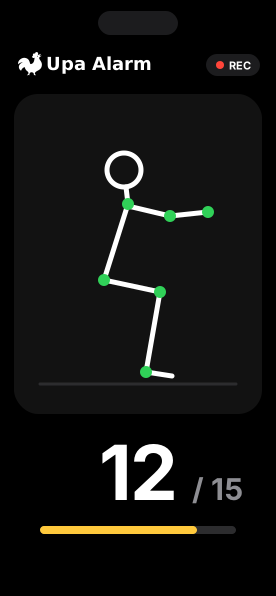
Pick a mission: squats, push-ups, a made bed, math or a Bible verse out loud. Your alarm keeps coming back until it’s done.
- Sunrise (default)
- Pink
- Purple
- Blue
- Green
Pick how you wake up.
Nine missions in three groups. Choose one for each alarm, and how hard it is.
Move
Counted live, on your phone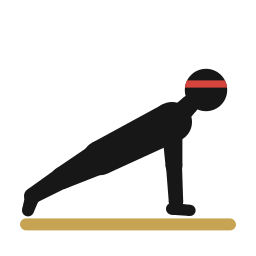 Push-ups1 to 100 reps. Your camera counts them on your phone.
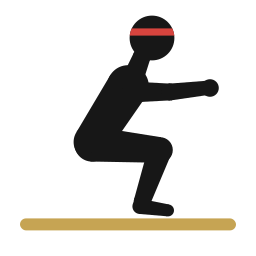 Squats1 to 100 reps, counted the same way.
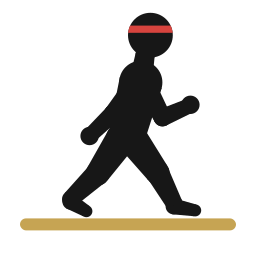 Walk20 to 1,000 steps. Your phone counts them.
 Dance10 to 100 seconds. Keep moving until it’s done.
Photo
Checked by AI Make your bedSnap a photo of it. AI checks it.
 Get dressedShoes on, head to toe. AI checks the photo.
 Find an objectYour coffee mug or your toothbrush. Find it, snap it.
Think
Math or a verse Math1 to 30 problems.
 Bible versesRead 1 to 20 verses out loud.
Can’t do one today? Tap Can’t do this one? to switch to math. After 10 minutes of ringing, an emergency stop appears.
Wake up with friends.
Optional, and only with the people you add.
Friends
Add friends with a code and see each other’s streaks.
Groups
Share your wake-up clip with a group. Your friends react.
Wake-up control
Let a friend set an alarm for you, within your limits. Delete it or turn their access off anytime.
Friends use Sign in with Apple. Clips go only to the groups you pick and expire after 7 days.
Sounds that get you up.
From a gentle start to a full siren.
Peaceful
Birds, rain and waves for a softer start.
Classic
The alarm clock ring you know.
Siren
Loud, for heavy sleepers.
Rave
Dance beats to get you moving.
Voices
A coach, a mom or a grandma calling you out of bed.
Or use your own sound: a song, a meme or your voice.
Simple pricing.
Start with 3 days free on the yearly plan.
- 3-day free trial
Yearly
$39.99/ year
About $3.33 a month, billed yearly after the trial.
- No free trial
Monthly
$8.99/ month
Billed monthly.
Alarms and missions need an active subscription. Prices in U.S. dollars; the App Store shows your local price. Billed to your Apple Account. Subscriptions renew automatically until you cancel. Cancel at least 24 hours before the trial or the current period ends to avoid being charged. The free trial is for eligible new subscribers. Manage or cancel in your App Store account settings.
Questions, answered.
Does it ring in silent mode?
Yes. Upa Alarm uses the iPhone’s built-in alarm system, so it rings on the Lock Screen, even in silent mode or Focus.
What if I swipe it away?
It rings again a few seconds later, until you finish your mission, for up to 2 hours after the alarm time. Backup rings come too.
What if I can’t do the exercise?
Every move and photo mission has Can’t do this one?, which switches to a few easy math problems. After 10 minutes of ringing, an emergency stop appears.
Do my videos leave my phone?
Only if you share a clip with a group. Reps are counted on your phone. Photo-mission photos are checked by AI and never stored by us.
Which languages?
The whole app works in English, Spanish and Portuguese.
Do I need an account?
No. Alarms work without one. Friends and groups use Sign in with Apple.
How much is it?
$8.99 a month, or $39.99 a year with a 3-day free trial. Cancel anytime in your App Store account settings.
Which iPhones?
Any iPhone that runs iOS 26 or later.